

In context: Taking a page out of Apple’s Continuity handbook, Microsoft is introducing mobile camera support to Windows 11 through its Link to Windows app. Continuity offers various features that facilitate seamless interaction between Mac and iPhone or iPad, including a global clipboard, screen sharing, display extension, and more.
Recently, Redmond announced the addition of mobile device camera support for Windows 11 computers via the Link to Windows app. This feature is compatible with any video application such as Skype, Teams, Zoom, and others. The connection is wireless, eliminating the need to plug your phone into a USB port unless you want to charge it during video conferencing, reminiscent of Apple’s Continuity Camera feature.
While Apple began integrating Continuity features in 2014, Continuity Camera is a newer addition, debuting in October 2022 with macOS Ventura and iOS/iPadOS 16. This feature allows users to connect their mobile device to their Mac and use it as a webcam, which is useful when a webcam is unavailable or when using a closed MacBook with an external monitor.
Windows users lacked a similar connectivity feature until the introduction of the Your Phone and Your Phone Companion apps in 2018, which have since evolved into the Link to Windows app with more Continuity-like features.
Given the impressive camera quality of most newer phones, utilizing this feature on Windows or Mac versions is likely to outperform many existing webcam setups. The ability to switch between front and back cameras seamlessly eliminates the need to readjust the webcam to show different views during video calls.
Other important features include pausing the video stream during interruptions and utilizing video effects available on your phone. These effects are likely compatible with platforms like Zoom. However, it’s advisable to avoid using playful filters during professional video calls.
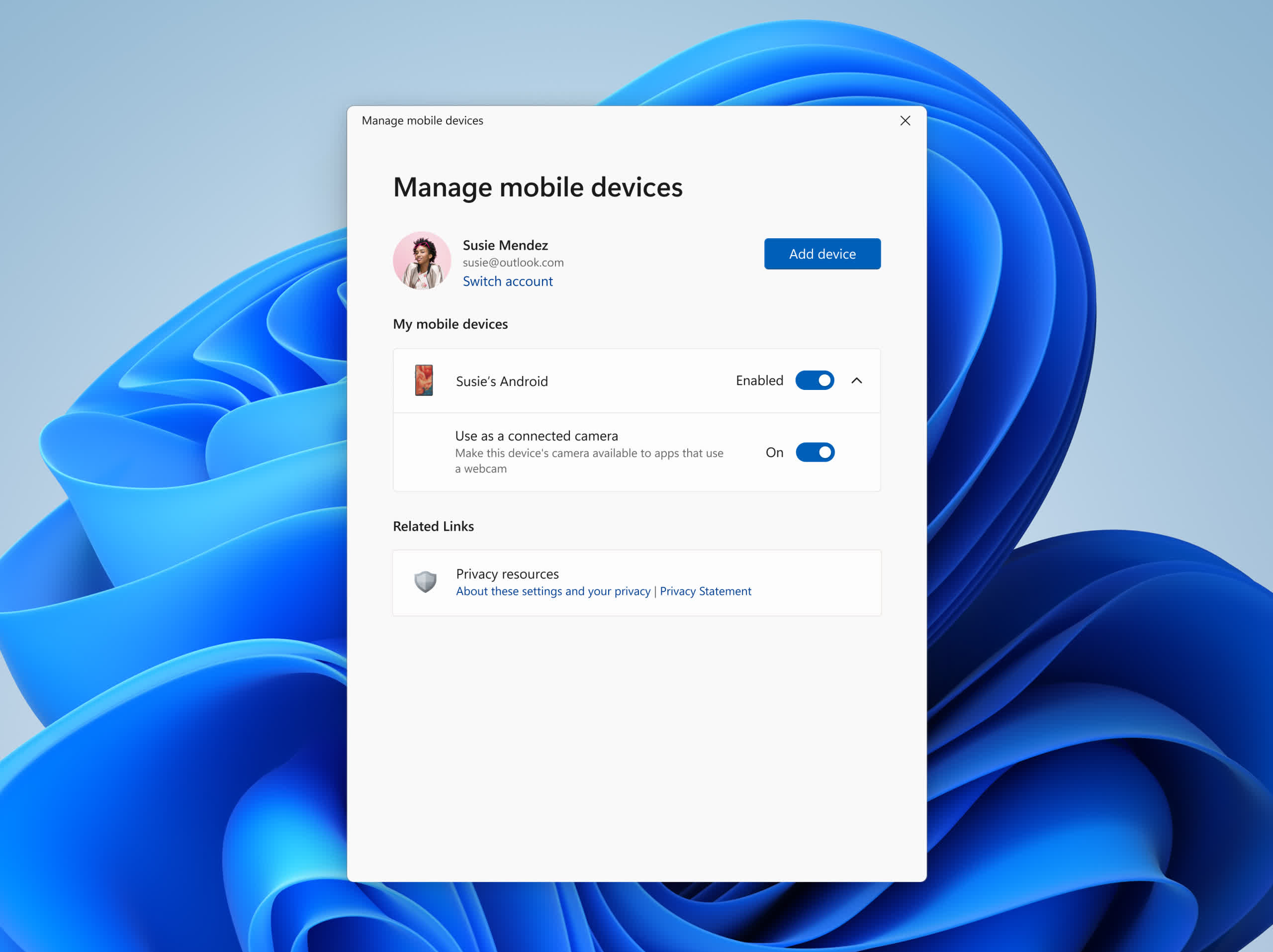 Click to enlarge
Microsoft has announced the rollout of this feature to all Insider Channels, including the Release Preview build, indicating that the functionality is nearing release. However, no specific launch date was provided in the Insider blog.
Currently, users need Insider access and a phone running on Android 9.0 or later, along with at least version 1.24012 of the Link to Windows app. To activate the feature, navigate to PC Settings, select Bluetooth & devices, then Mobile devices, and finally, “Manage mobile devices.” Enable the switches for “[Your] Android” and “Use a connected camera,” and Windows will automatically fetch the Cross Device Experience Host from the Microsoft Store if required.
It’s recommended to invest in a sturdy phone mount for your monitor or laptop screen edge to ensure optimal positioning of the phone. Universal mounts are also available, but make sure to choose one that can position the phone conveniently out of the screen’s way by reading product descriptions and reviews.

