

Microsoft seems to have hidden a new AI-powered enhancement in a test build of Windows 11: Automatic Super Resolution, which could be Microsoft’s answer to image-enhancement technologies like Nvidia’s DLSS. It may also function as an overarching control, similar to the Dynamic Lighting feature.
Twitter user @PhantomofEarth was one of the first to discover this new feature hidden in Windows 11 Build 26052. This build is currently available in both the Canary and Dev Channels of Microsoft’s Windows 11 Insider channels. There’s a possibility that Microsoft may not release this specific feature to the general public, but given its focus on AI, it’s likely.
Microsoft is expected to offer this new feature to developers as DirectSR, based on an advance program at the Game Developer Conference. The presentation will be conducted by executives from Microsoft, AMD, and Nvidia, providing game developers with easier super resolution support across Windows devices.
Automatic Super Resolution is deeply hidden, with Twitter users using special tools to uncover it by diving into the Windows code and enabling new features. Some of these features are intentionally disabled to allow Microsoft to conduct A/B testing and gauge user reactions. I used the same tool to activate Automatic Super Resolution.
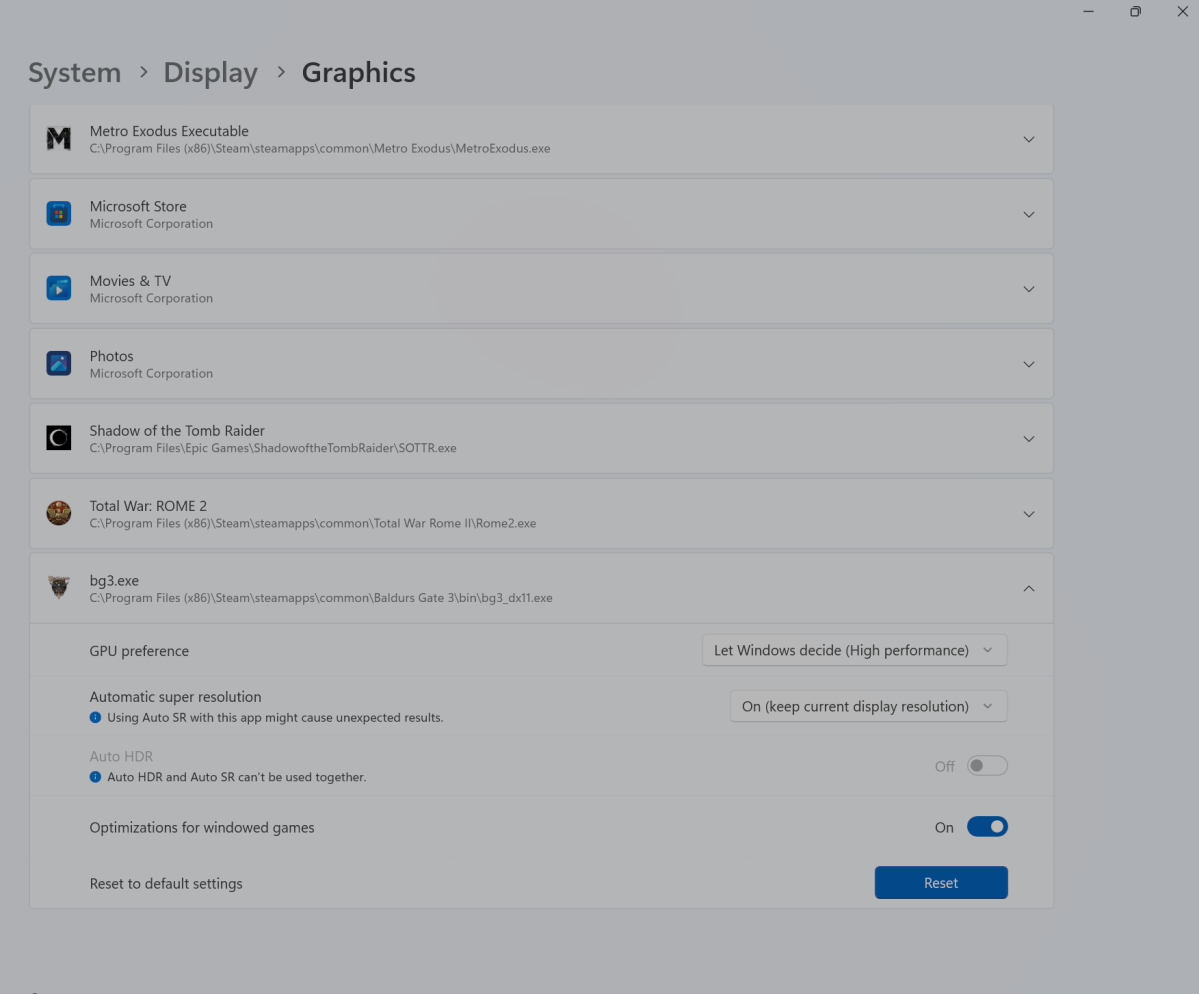
Once enabled, Automatic Super Resolution, or Auto SR, can be found in the Windows 11 Settings menu (System > Display > Graphics). It appears above the AutoHDR setting introduced by Microsoft in 2021. The setting includes a placeholder link for “More about Auto SR,” which redirects to Microsoft’s DirectX developer blog. It also features a toggle to activate or deactivate the feature.
Mark Hachman / IDG
In addition, users can scroll down on the same page to see a list of installed games on their PC and toggle Auto SR on or off for each game individually. Interestingly, it’s not possible to enable both Auto SR and Auto HDR simultaneously. Auto SR also offers two other options: turning it on and leaving it at the same resolution.
So, what exactly does Auto SR do? In my limited testing, it didn’t seem to make a significant difference.
Mark Hachman / IDG
The term “Auto Super Resolution” suggests that the technology might function similarly to AMD’s FidelityFX Super Resolution or Nvidia’s DLSS. Both techniques render frames at a lower resolution and then upscale them, aiming to deliver higher frame rates with improved image quality. FSR 2.0 and DLSS 2.0 further refine this concept, offering controls to balance performance and image quality.
I installed Build 26052 on a Microsoft Surface Laptop Studio 2 with an Intel Core i7-13700H, an Nvidia GeForce RTX 4050 GPU, and an Intel Gen 3 Movidius 3700VC NPU. I tested two games, Cities: Skylines and Baldur’s Gate 3, but didn’t notice any significant differences in frame rates or image quality with Auto SR enabled.
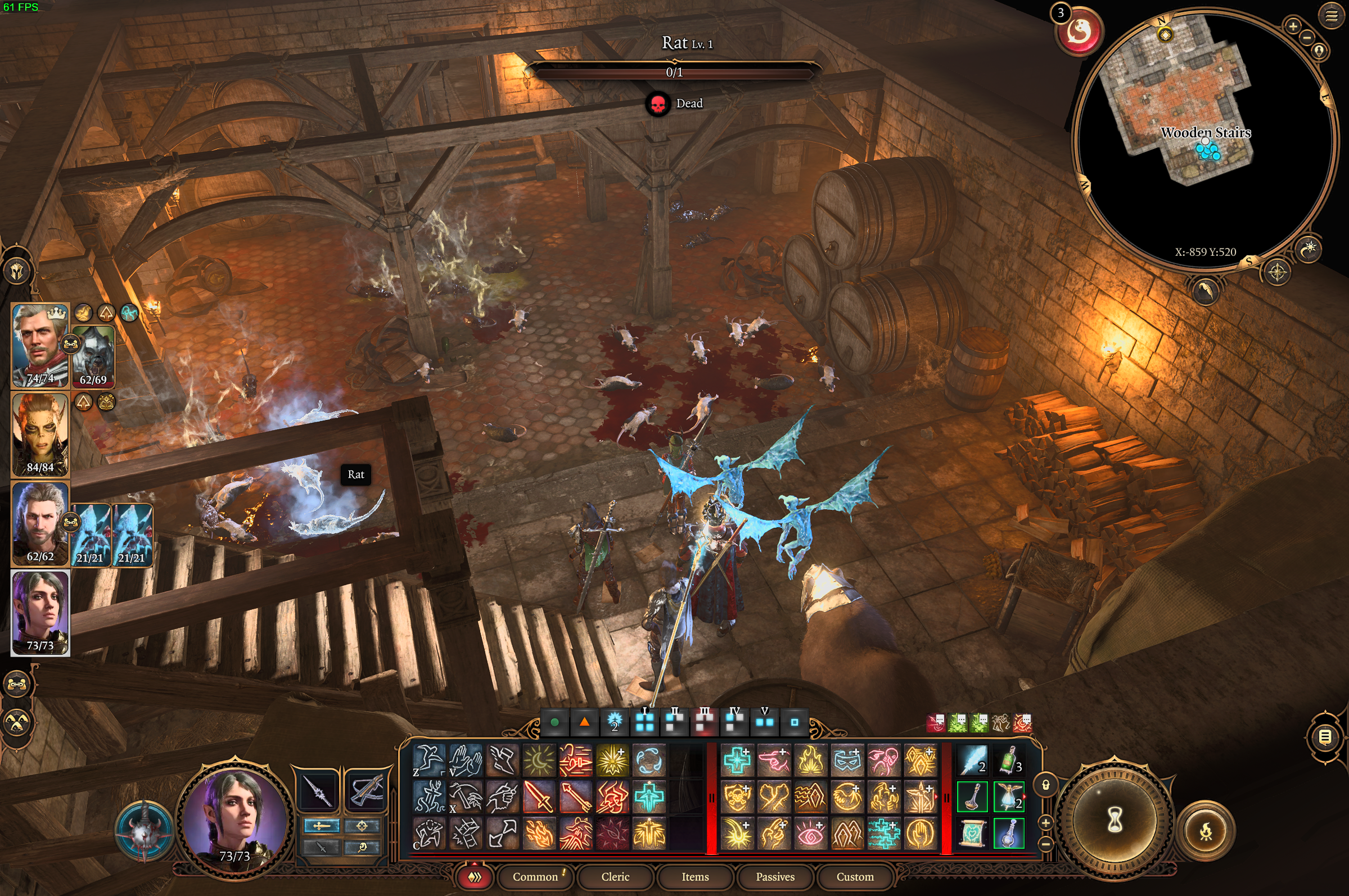
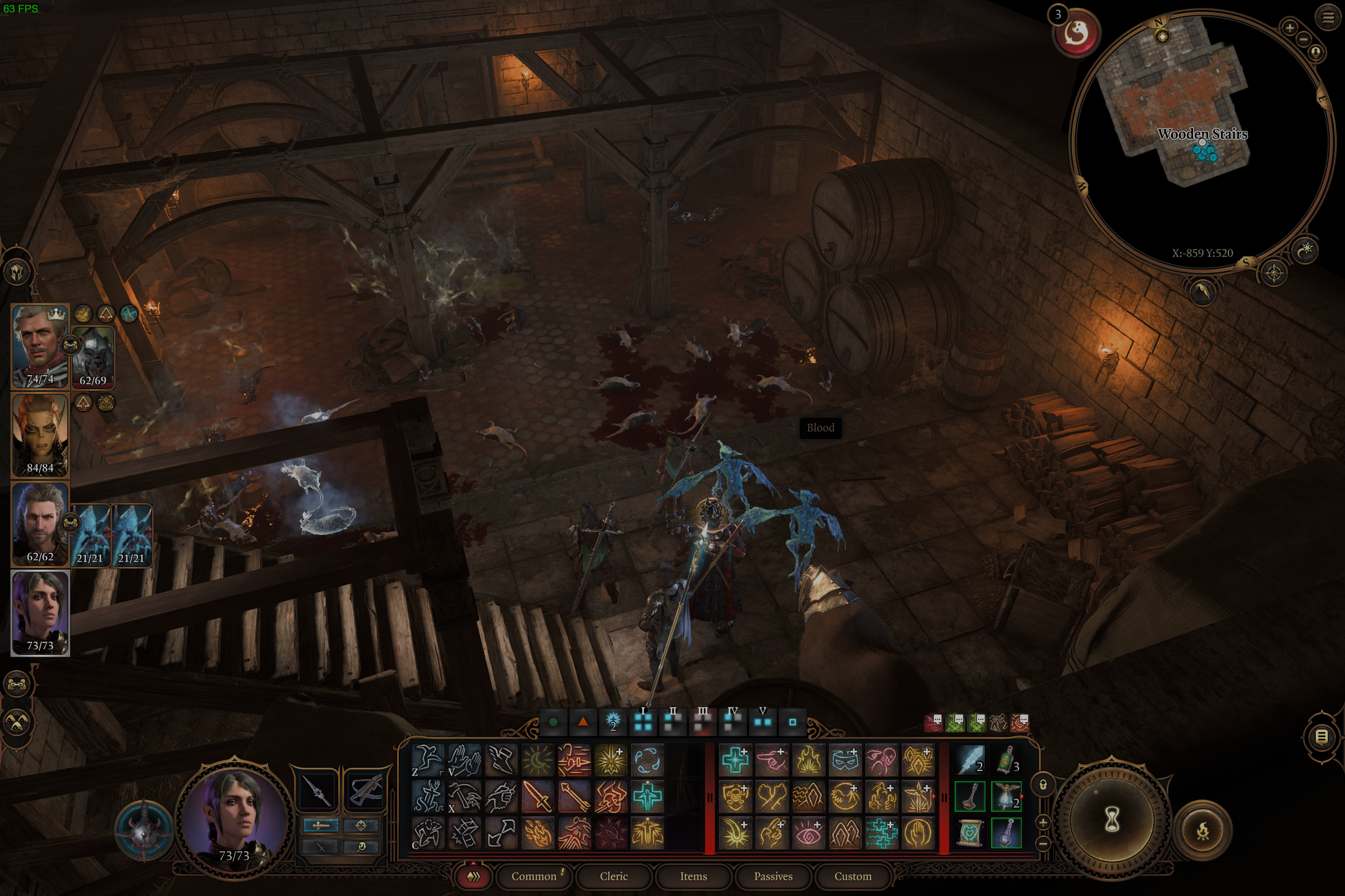
Auto SR also allows users to run the feature without being restricted to a specific resolution. However, in some games like Cities: Skylines, this resulted in the game zooming into a quarter of the screen, making it unplayable.
The purpose of Auto Super Resolution remains unclear. Microsoft has not responded to inquiries about the feature, leaving users to speculate on its intended function.
Is Auto SR just another Dynamic Lighting?
Auto Super Resolution may simply be Microsoft’s attempt to streamline game controls within Windows 11, much like the Dynamic Lighting feature. By consolidating these controls in Windows Settings, Microsoft aims to simplify the user experience. However, conflicts with existing gaming software could arise, similar to the issues seen with Dynamic Lighting.
Testing games through Steam raised questions about Auto SR’s compatibility with games played via the Windows Xbox app for PC. It’s possible that Microsoft might restrict Auto SR to games played through its Xbox app to maintain better control over the feature. Oddly, some games downloaded via Xbox Game Pass were not listed as options for Auto SR.
Developers are continuously improving game rendering to maximize performance, with or without AI. Whether Automatic Super Resolution will be included in Windows 11 24H2, scheduled for release this fall, remains to be seen.
This article was originally published on Feb. 13, 2024 and updated on Feb. 26 to mention Microsoft’s upcoming announcement of DirectSD.