

QUICK ANSWER
To set up Siri on an iPhone or iPad, toggle on Listen for “Hey Siri” in Settings > Siri and Search. On a Mac, use Enable Ask Siri within Apple > System Preferences > Siri. The assistant can usually be triggered by saying “Hey Siri” near a mic input or holding down a button.
JUMP TO KEY SECTIONS
How to set up Siri
If you use an Apple device daily, you probably already have Siri going. The assistant is so entwined with Apple platforms that you’re prompted to configure Siri the first time you power on most products. If you’ve declined the option, though, here’s how to set up Siri after the fact.
On an iPhone or iPad
Open the Settings app.
Scroll down and select Siri & Search.
Toggle on Listen for “Hey Siri”.
Tap Enable Siri.
Follow prompts to train Siri on your voice.
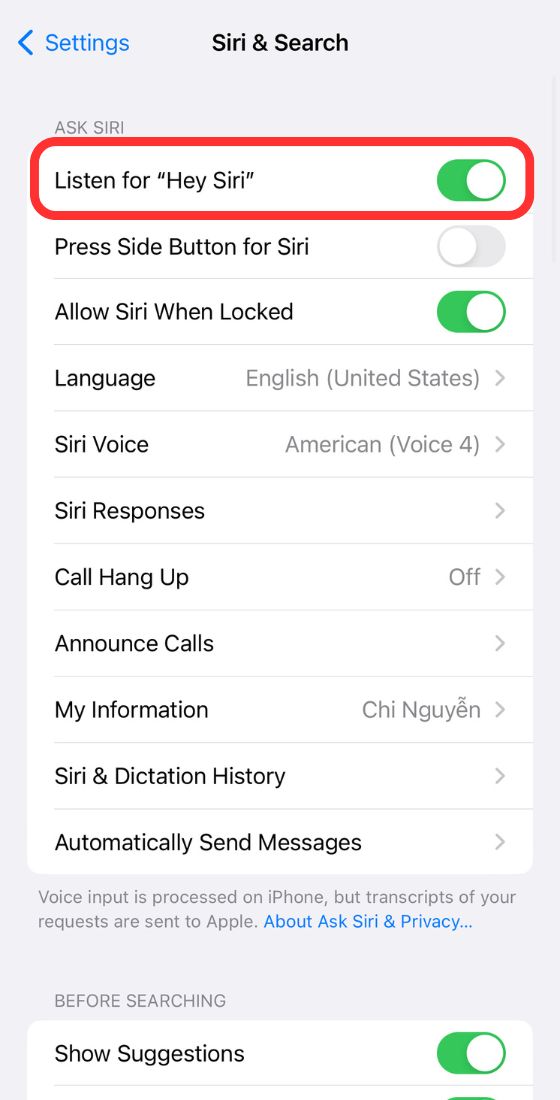 Toggle on “Listen for “Hey Siri””
On a Mac
Click on the Apple menu in the upper left, then System Preferences.
Click Siri.
Choose Enable Ask Siri, followed by Enable.
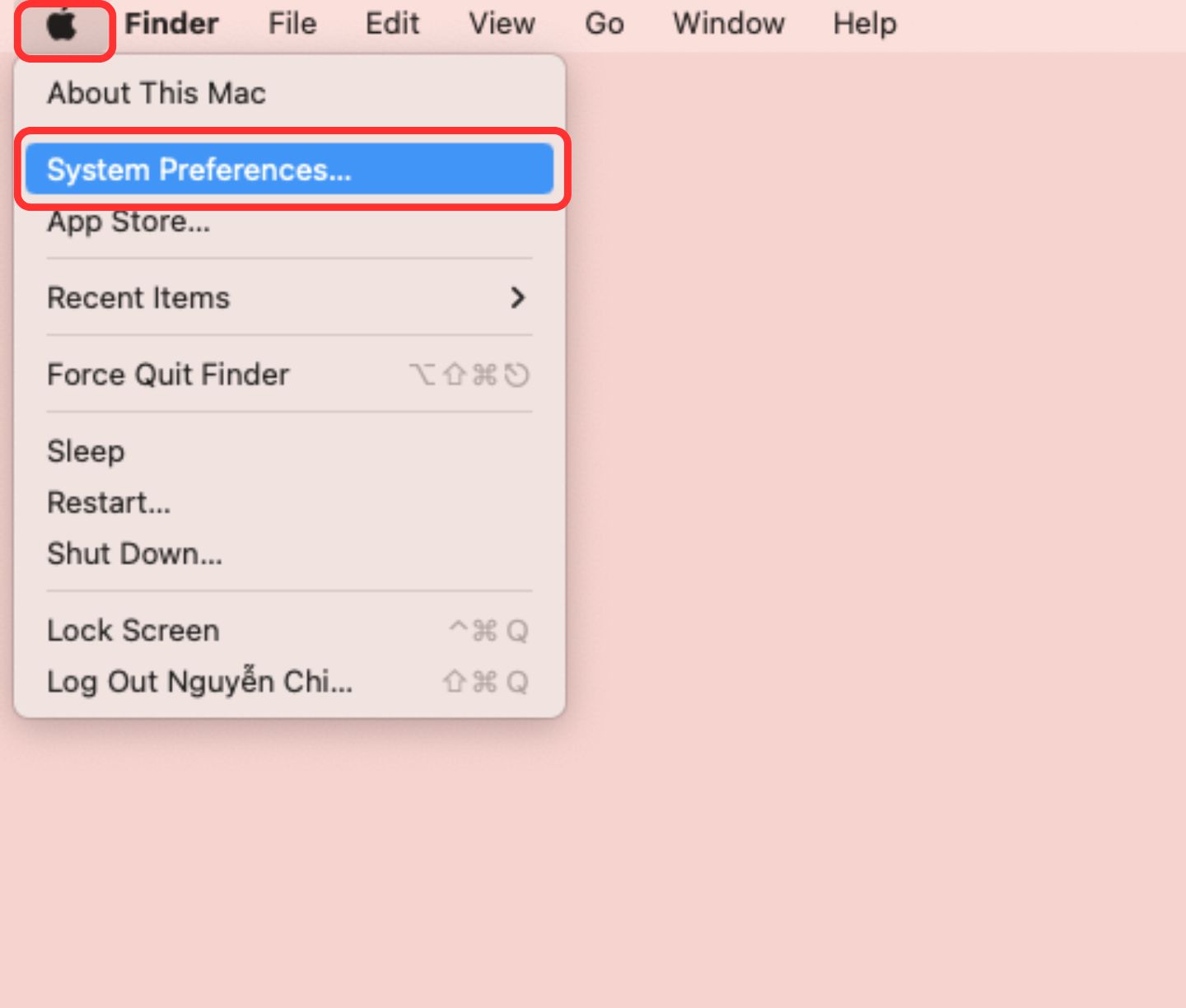 Choose “System Preferences.”
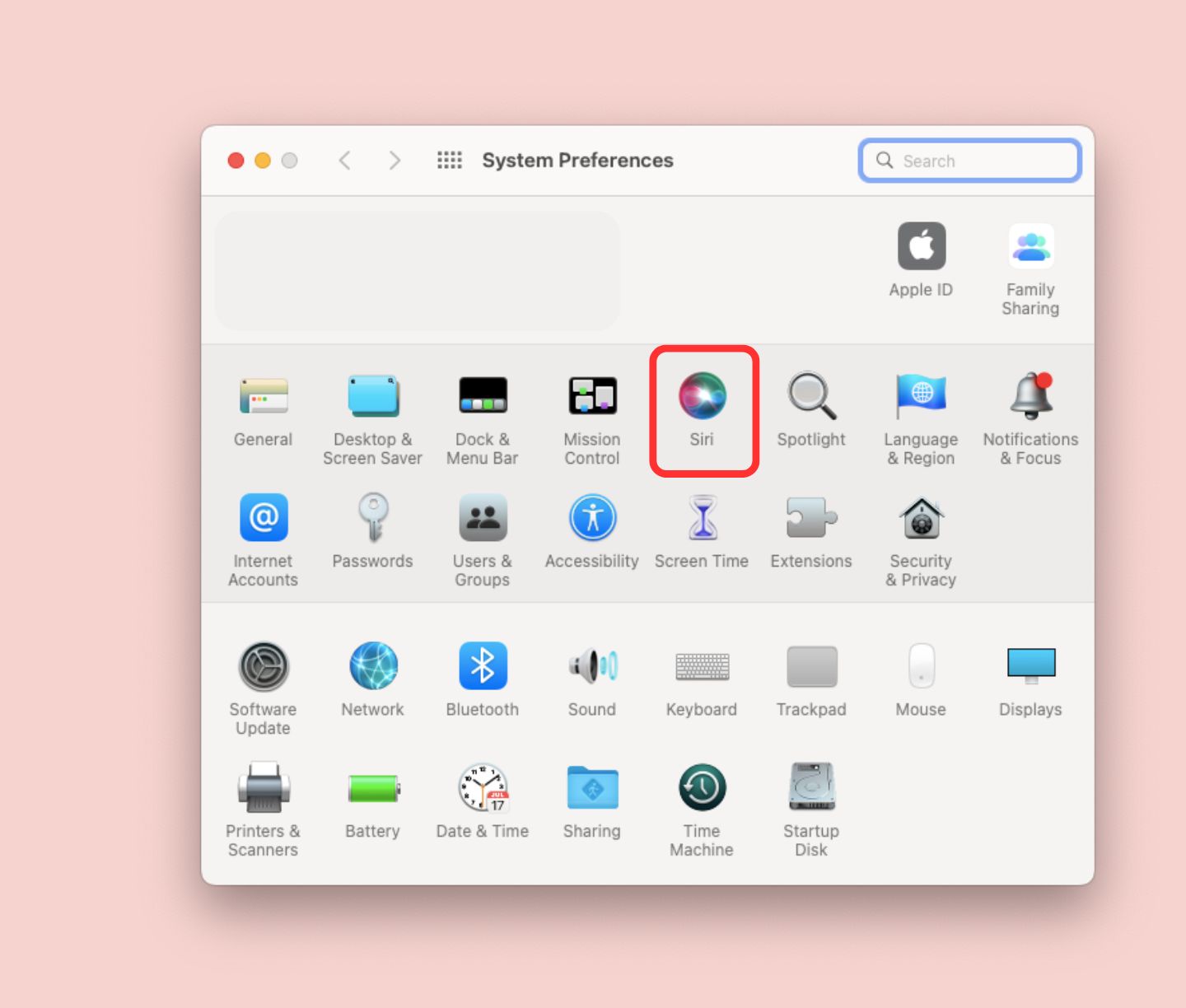 Select “Siri”
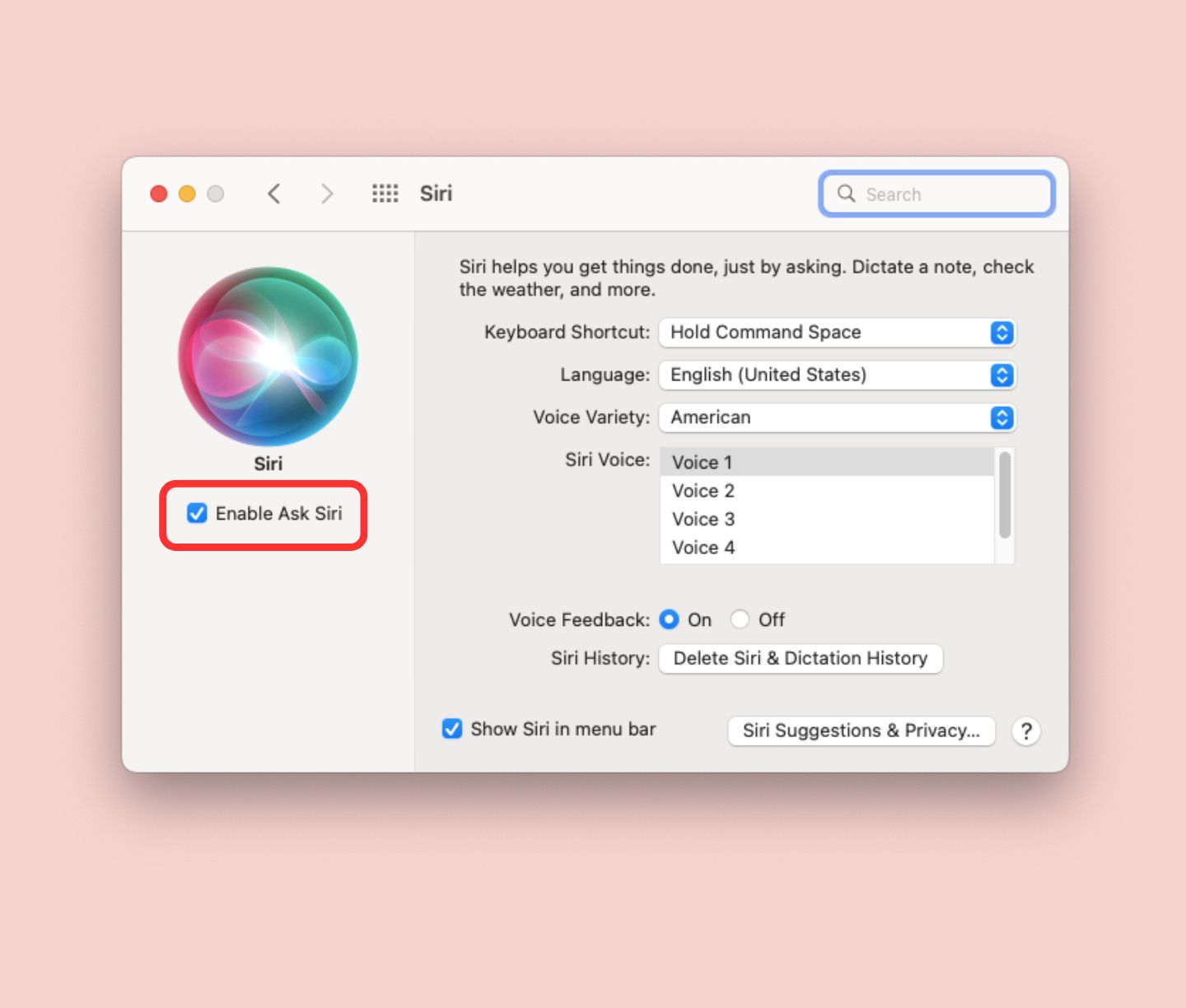 Turn on “Enable Ask Siri”
On other devices
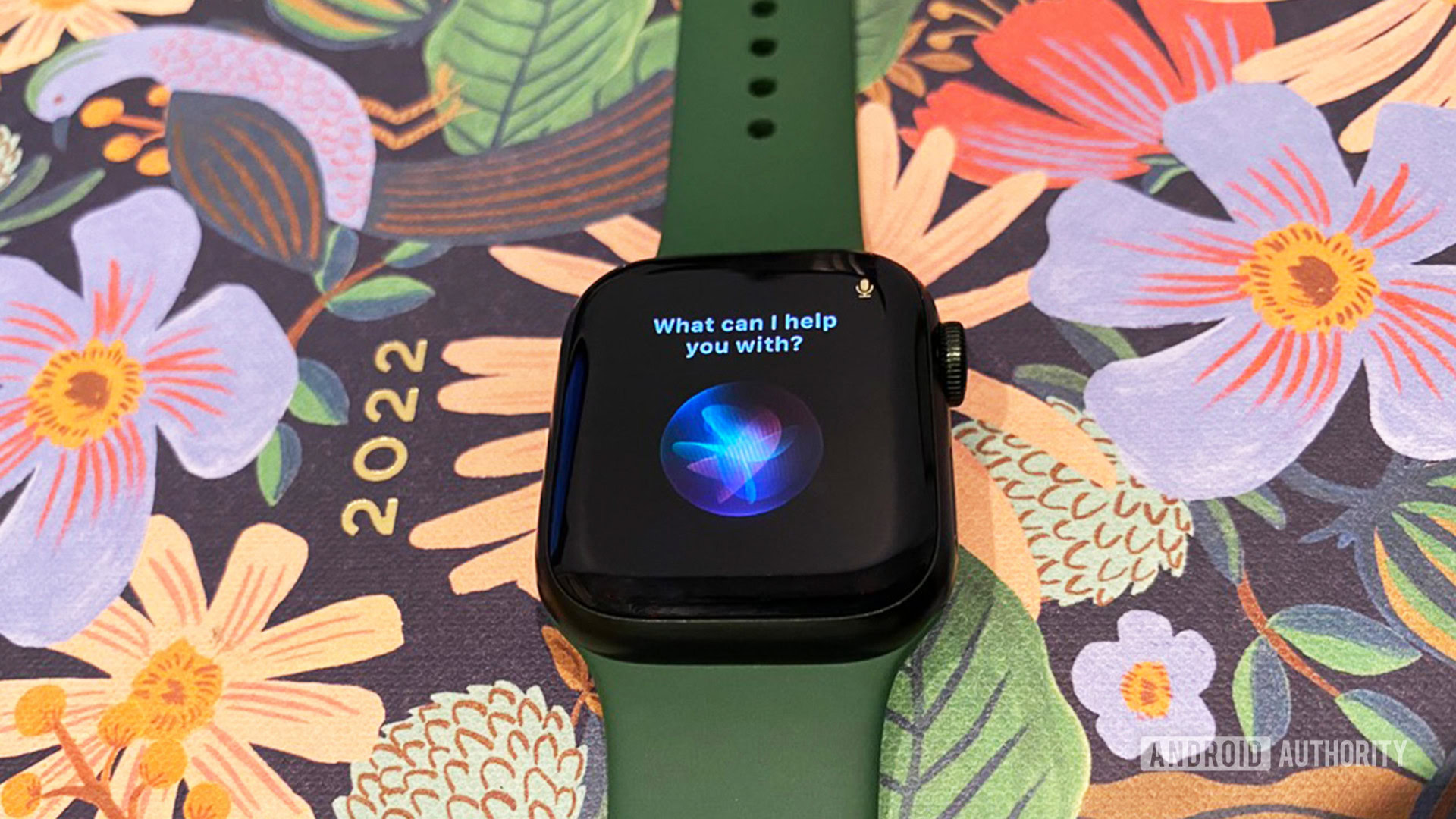
Typically you don’t need to worry about manually enabling Siri on an Apple Watch or HomePod. A Watch mirrors your iPhone’s settings, and the assistant is so integral to HomePods that it’s on by default.
You can check that an Apple Watch has Siri active by going into its Settings app, choosing Siri, and then whether Hey Siri and/or Raise to Speak are active.
If you turn off Siri on a HomePod, you can re-enable it by tapping and holding the speaker’s icon in the Apple Home app, selecting Settings, and then Listen for “Hey Siri.”
It’s even easier to get Siri on an Apple TV. Open the Settings app, then General > Siri. Flip the option on.
How to activate Siri on your iPhone or iPad
Edgar Cervantes / Android Authority
Usually, the best way is to say “Hey Siri” within range of your device’s built-in microphone. That’s several feet, or a few meters, as the case may be. The closer you are, the more likely a device is to respond so long as the space you’re in isn’t too noisy. If noise is a concern, you can get around it with Siri-capable headphones (see below).
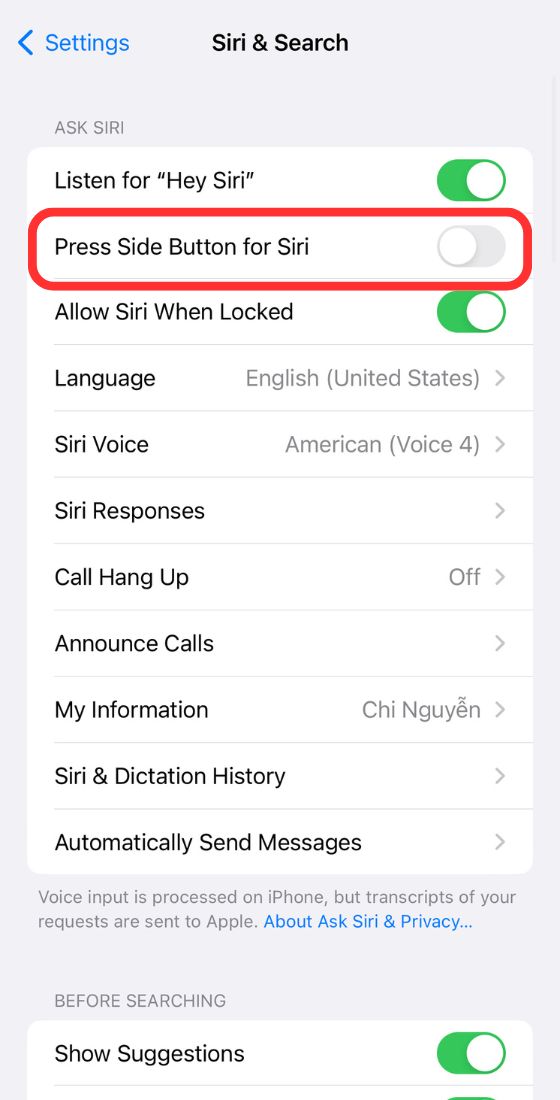
With the appropriate option enabled in Settings > Siri and Search, you can also hold down a button. If your device has a front-facing home button, like the one on the iPhone SE, that’s the one to use. With most newer iPhones and iPads you need to hold a side button, the same one you use for wake/sleep.
How to activate Siri on other Apple devices
Kaitlyn Cimino / Android Authority
On an Apple TV: Hold down the microphone button on the Siri Remote, keeping it near your mouth.
On a HomePod: Say “Hey Siri” within the same room, or touch and hold the top of your HomePod while you make a request.
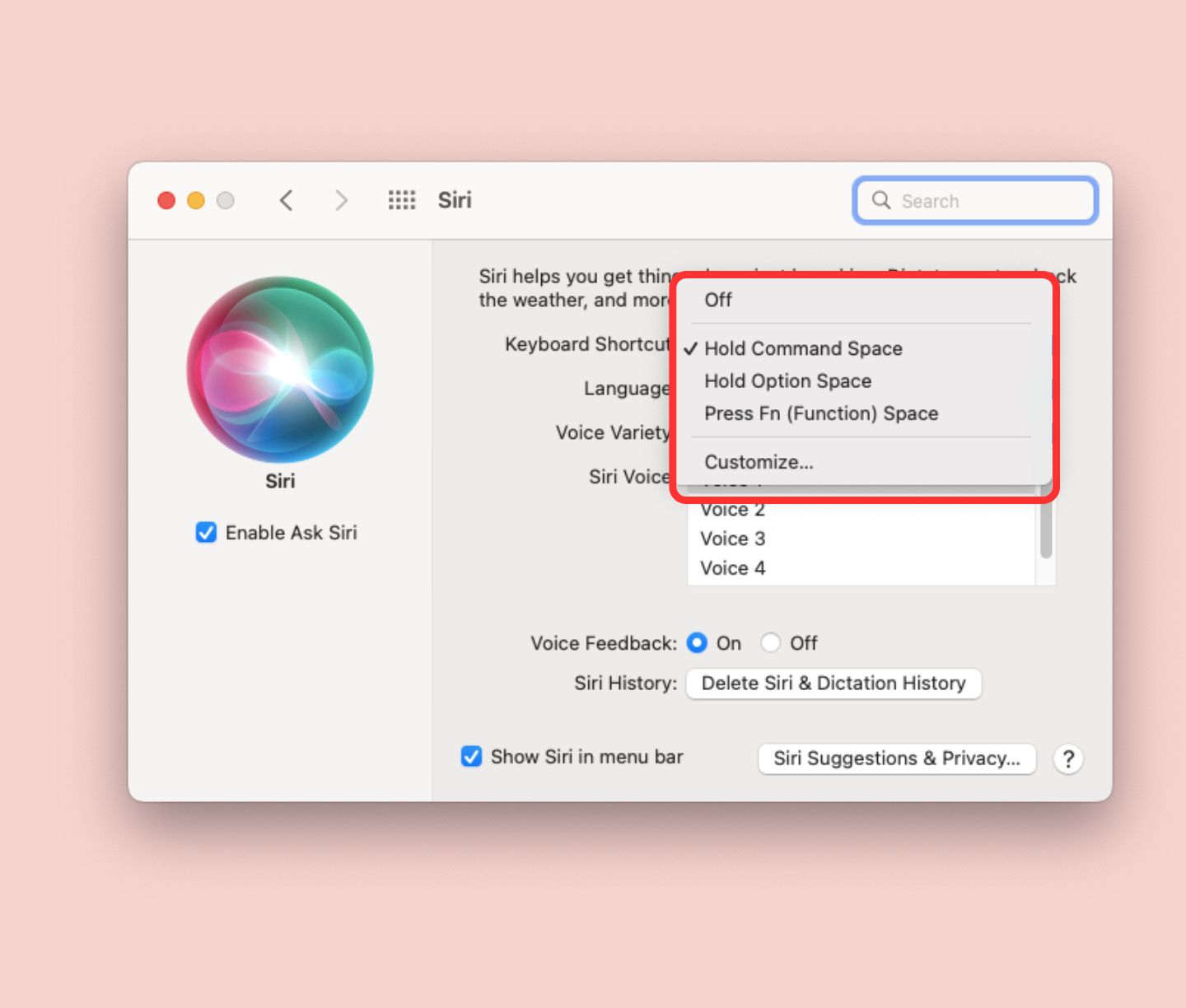
On a Mac: Say “Hey Siri,” or click the Siri icon in your dock, menu bar, or touch bar. Click and hold the icon for longer commands or customize how you like to call Siri in Keyboard Shortcuts. If you’ve enabled Type to Siri, you can use your keyboard to write things out.
On AirPods (and other Siri-equipped headphones): Say “Hey Siri,” or use the appropriate tap gesture, which varies from product to product. For example, on 3rd gen AirPods or the AirPods Pro, you can press and hold the force sensor on one of the stems.
Read more: How to change Siri’s voice on iOS and Mac
Comments

